1
Connect your stack
In your Mintgrove settings, you link your billing provider, in-app access tool, and lifecycle email tool. Mintgrove works with Stripe for payments and Adapty for in-app access, and can route seat events to your email or CRM tool via webhook.
Nothing moves. Your existing subscriptions, customers, and billing history stay exactly where they are.
2
Create a group plan
You set the plan name, seat price, seat limit, and what access buyers and their members should have. Mintgrove generates a checkout link for the plan.
You control all the settings. Buyers see a clean, branded checkout experience.
3
Let buyers manage seats
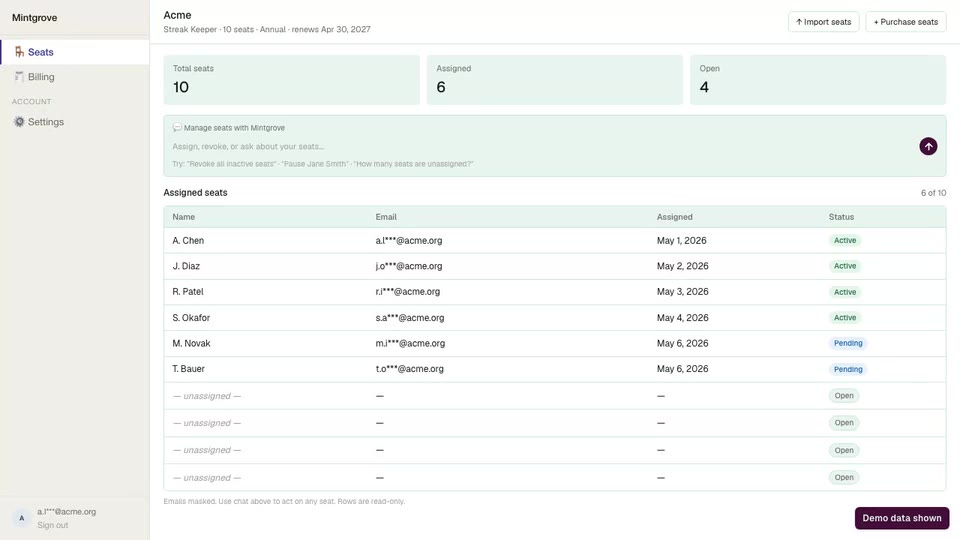
After checkout, the buyer gets access to a simple admin portal. They can invite users by email, assign seats, pause access, remove access, and see who’s active. They don’t need to contact your team to do any of this.
Buyers sign in at app.mintgrove.co/buyer/login. It is the same login for every plan they have bought, so a buyer whose email is on more than one organization chooses which one to open after signing in.
What this looks like: Shows the buyer's portal just after checkout — inviting a member, then the seat appearing as active. Checkout itself isn't shown on camera.
4
Coordinate access status
When a seat is assigned, Mintgrove calls your in-app provider (for example, Adapty) to grant access. When a seat is removed or a subscription lapses, Mintgrove signals the revocation the same way. Your tools handle what access means. Mintgrove handles the coordination.
Two experiences. One workflow.
Your dashboard and the buyer’s portal are separate but driven by the same workflow layer.
App company view
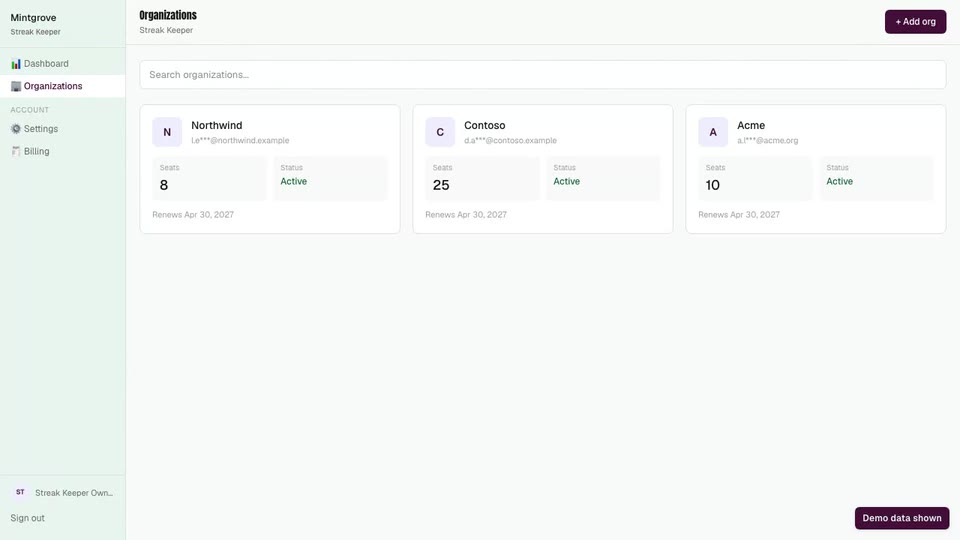
→ All active group subscriptions
→ Seat usage per buyer organization
→ Plan and billing settings
→ Integration status
Buyer organization view
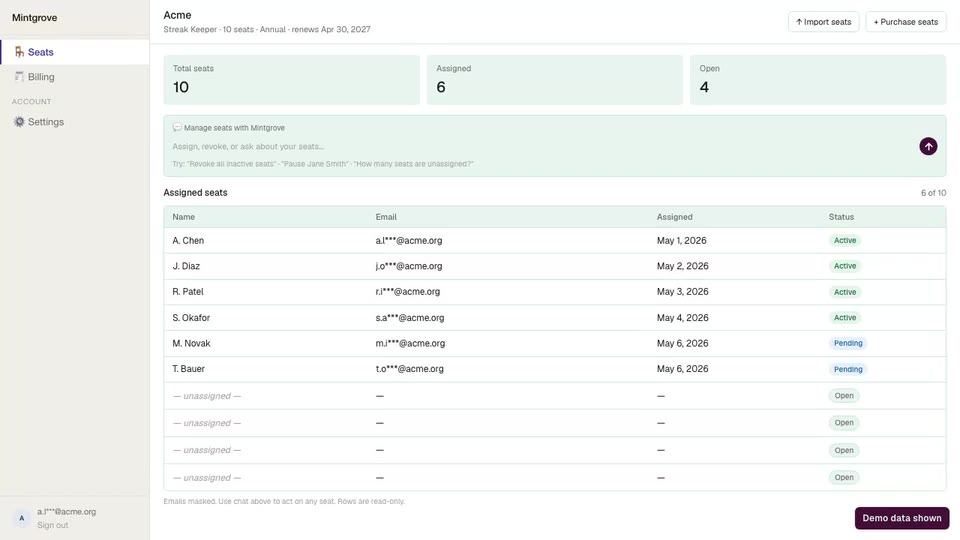
→ Checkout to purchase a group plan
→ Seat management portal at app.mintgrove.co/buyer/login
→ Invite and remove members
→ Subscription and renewal status
No migration required.
Mintgrove is built to sit alongside your existing infrastructure, not replace it. Connect your billing provider, your in-app access tool, and your lifecycle email. Mintgrove coordinates the group subscription workflow around them.
Mintgrove WORKS with
Payments
Stripe
In-app access
Adapty
RevenueCat Coming soon
Email & CRM
Klaviyo
Resend
Mailchimp
Braze
Iterable
Customer.io
SendGrid
Get notified when we support your stack.
Your app stays the seller. Your billing stays in place. Mintgrove coordinates purchases, invites, seats, and access status so your team does not have to build that workflow from scratch.